> ## Documentation Index
> Fetch the complete documentation index at: https://xata.io/docs/llms.txt
> Use this file to discover all available pages before exploring further.
# API Keys
> Generate and manage API keys for secure access to your Xata database
 ## Overview
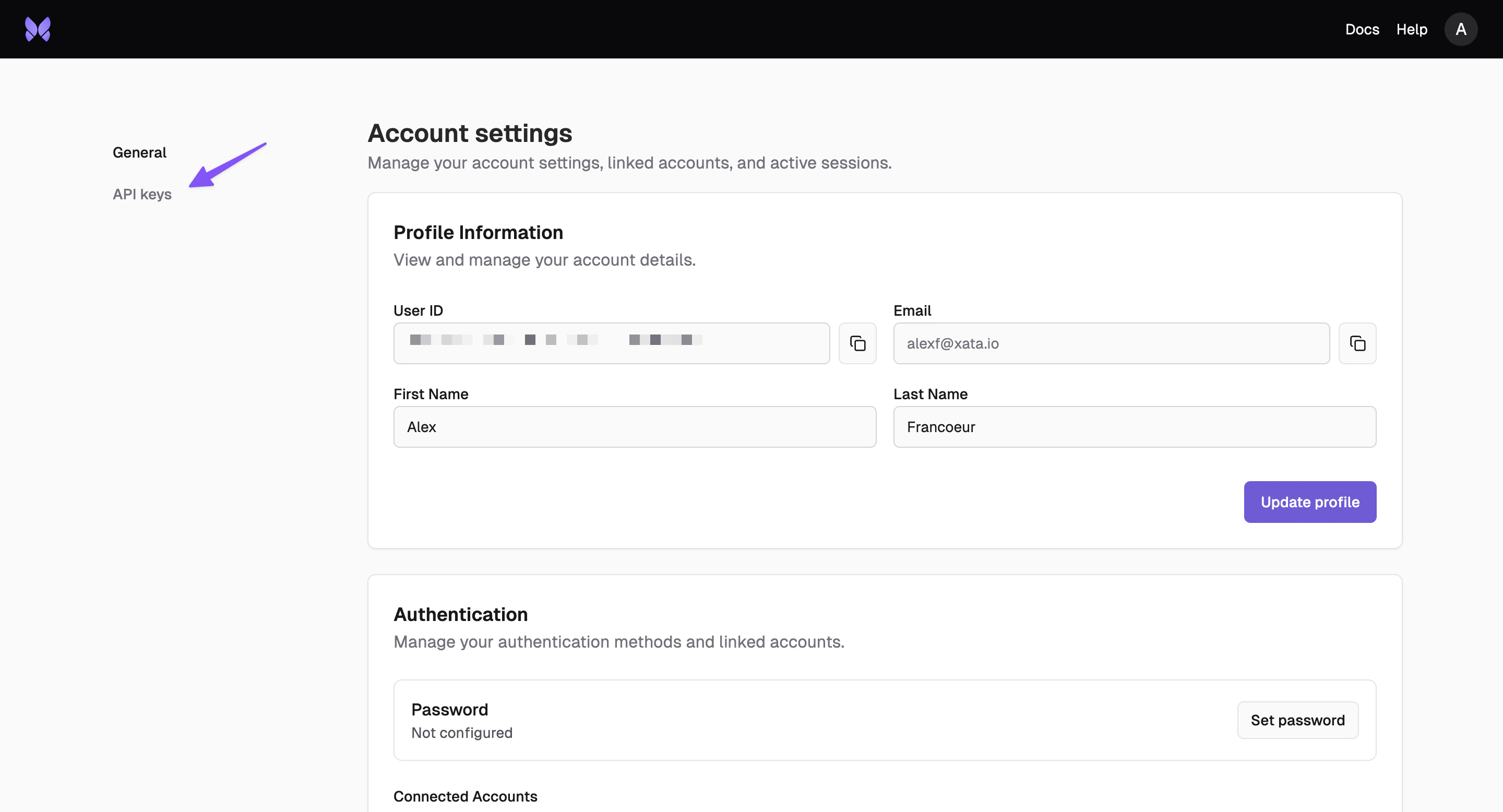
API keys provide programmatic access to your Xata database without requiring user authentication. They're essential for integrating Xata with your applications and automating database operations.
## Overview
API keys provide programmatic access to your Xata database without requiring user authentication. They're essential for integrating Xata with your applications and automating database operations.
 ## Scoping
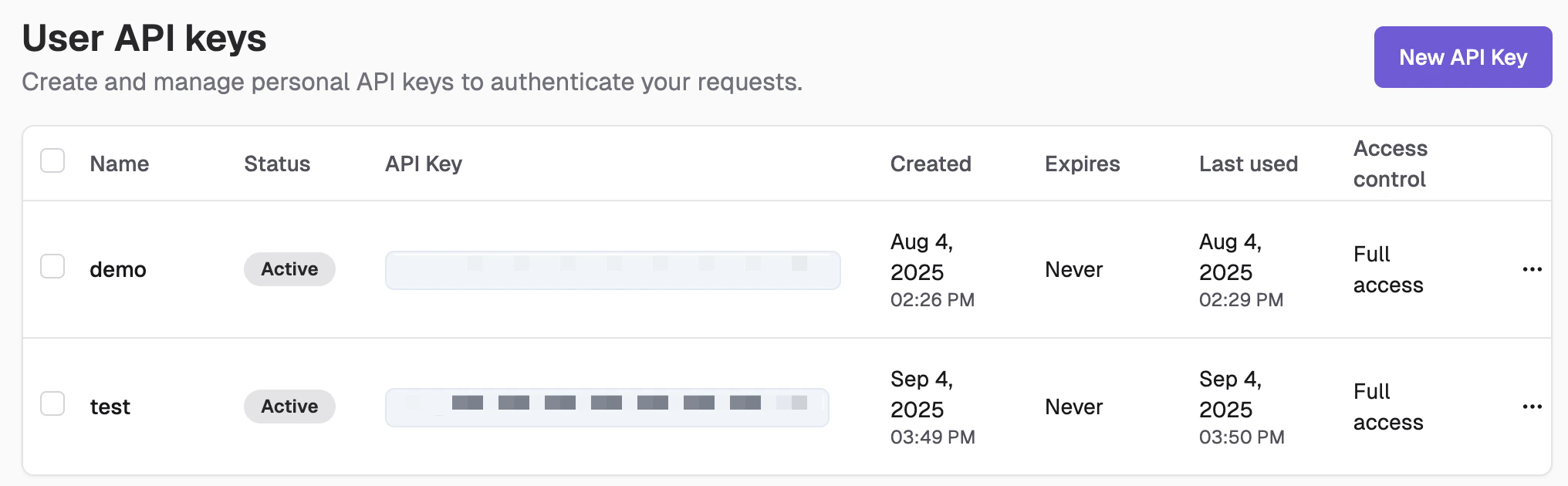
Control what each key can access with granular permissions and restrictions.
## Scoping
Control what each key can access with granular permissions and restrictions.
 ### Project and Branch Access
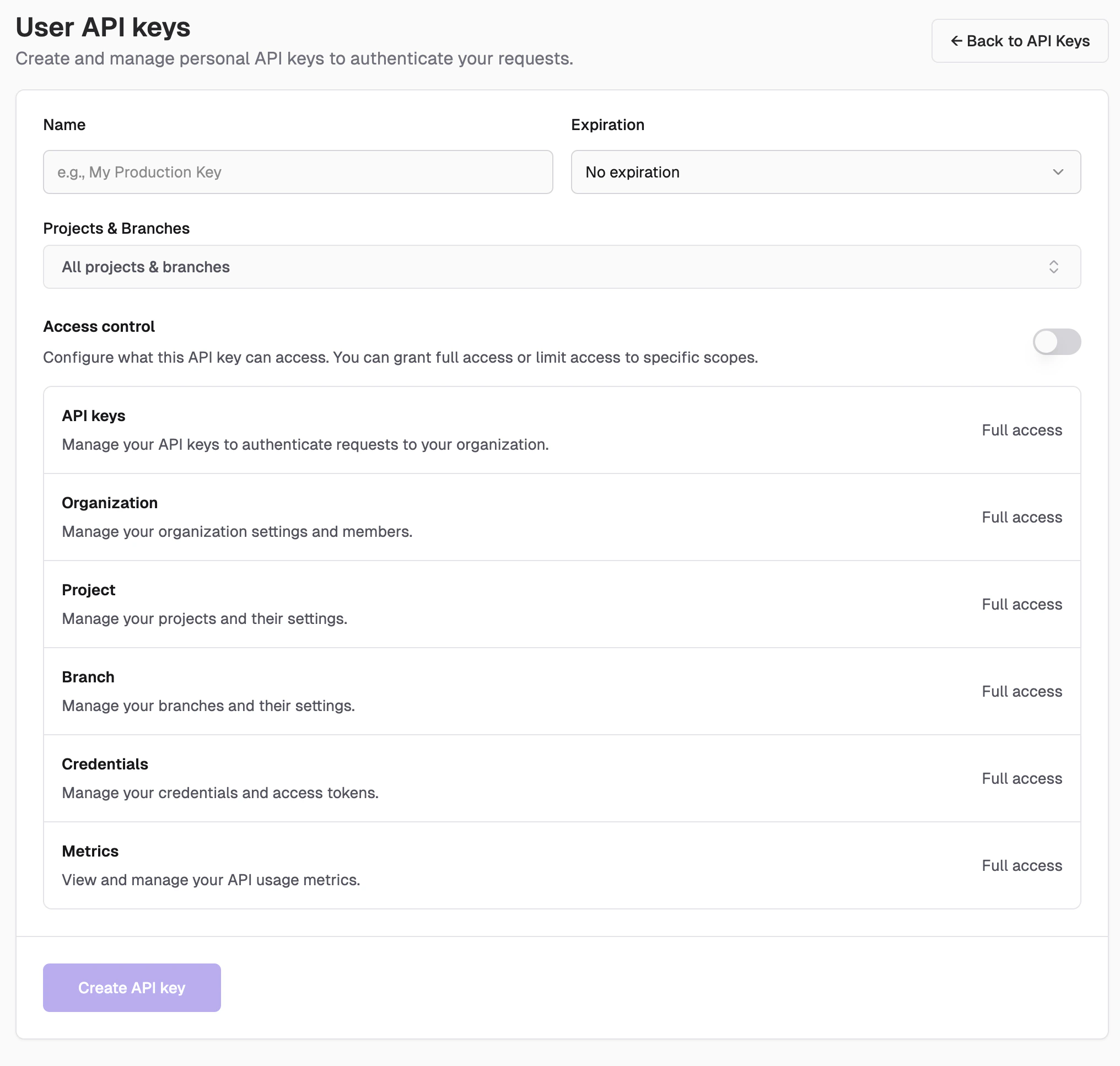
* **All projects and branches**: Full access across your organization
* **Specific branches**: Limited to selected development or production branches
### Functionality Access
Control access to specific platform features:
* **API keys**: Manage your API keys to authenticate requests to your organization
* **Organization**: Manage your organization settings and members
* **Organization deletion**: Submit a deletion request for an organization (`org:delete` scope)
* **Invitations**: Manage organization invitations to add new members
* **Project**: Manage your projects and their settings
* **Branch**: Manage your branches and their settings
* **Credentials**: Read and rotate database credentials for branches
* **Metrics**: View and manage your API usage metrics
## Access Control
* **No Access**: Keys with no access cannot perform any operations
* **Read-Only**: Keys with read-only access can only read or view
* **Read and Write**: Keys with read and write access have full access
### From the CLI
Create and manage API keys using the Xata CLI:
```bash theme={null}
# Create a user API key
xata keys user create
# Create an organization API key
xata keys organization create
# List user API keys
xata keys user list
# List organization API keys
xata keys organization list
```
For more CLI commands, see the [CLI Reference](/cli/keys).
### Project and Branch Access
* **All projects and branches**: Full access across your organization
* **Specific branches**: Limited to selected development or production branches
### Functionality Access
Control access to specific platform features:
* **API keys**: Manage your API keys to authenticate requests to your organization
* **Organization**: Manage your organization settings and members
* **Organization deletion**: Submit a deletion request for an organization (`org:delete` scope)
* **Invitations**: Manage organization invitations to add new members
* **Project**: Manage your projects and their settings
* **Branch**: Manage your branches and their settings
* **Credentials**: Read and rotate database credentials for branches
* **Metrics**: View and manage your API usage metrics
## Access Control
* **No Access**: Keys with no access cannot perform any operations
* **Read-Only**: Keys with read-only access can only read or view
* **Read and Write**: Keys with read and write access have full access
### From the CLI
Create and manage API keys using the Xata CLI:
```bash theme={null}
# Create a user API key
xata keys user create
# Create an organization API key
xata keys organization create
# List user API keys
xata keys user list
# List organization API keys
xata keys organization list
```
For more CLI commands, see the [CLI Reference](/cli/keys).